
QuickNote
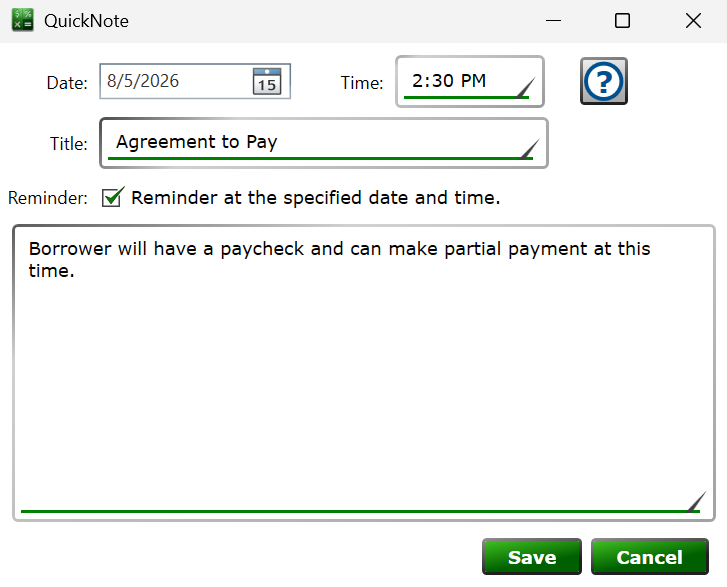
Get here by creating or editing a note on the Notes tab of the Loan Details panel.
Notes let you keep a running record on each loan—phone calls, promises to pay, collection activity, or anything else worth remembering. A note can also act as a reminder that pops up when its date arrives.
Date and Time – when the note happened, or, for reminders, when the reminder should appear. Notes are listed on the Notes tab in date order.
Title – a short label for the note, up to 100 characters. This is the text shown on the Notes tab list and in the reminder notifications panel.
Reminder at the specified date and time. – check the box to have the note appear in the notifications panel along the bottom of the main window when its date and time arrive. Double-clicking the notification jumps to the loan and the note. The panel can be turned off with the reminder-notifications option in Moneylender Settings.
The large box holds the body of the note—write as much as you need.
See also: Main Window, Moneylender Settings - General