
Copy Late Fee Settings
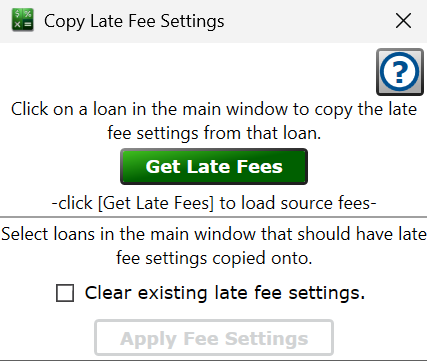
Find this window from the main menu – Tools > Bulk Copy Late Fees.
This tool copies the late fee settings from one loan onto many others, which is handy when you've perfected the fee rules on one loan and want the rest of the portfolio to match.
First, click the one loan in the main window whose late fees you want to copy, then click to load that loan's late fee settings as the source. A message confirms how many fee settings were loaded.
Next, select the loans in the main window that should receive the fees.
Clear existing late fee settings. – check the box to remove any late fee settings already on the target loans before the copied fees are added. Leave it unchecked to add the copied fees alongside whatever is already there.
Click and, after a confirmation, a copy of each loaded fee is written onto every selected loan and the loans recalculate.
See also: Late Fees, Bulk Add Late Fees