
ACH Principal Disbursement File
Find this wizard from the main menu – Regional > United States > ACH Principal Disbursement File.
This wizard builds a NACHA-formatted ACH file that sends loan funds to your borrowers electronically instead of writing checks. It gathers the principal disbursements in the portfolio that have not yet been remitted and builds entries that debit the lender's account and credit each borrower's account. Upload the finished file to your bank.
This tool is especially useful if you're in the USA and you originate many loans each day. You can use this to send funding instruction to your bank more automatically than manually setting the amounts and banking info into a bank's web forms, and you don't need to re-enter a borrower's bank info if they're receiving additional funds over the life of the loan to the same account.
Before you start
The bank details must already be on the records involved: each borrower's and lender's routing and account numbers are entered on the Bank Account page of their wizards (see the lender wizard). The lender's Batch Description and Bank-Assigned Company ID from that page are written into the batches for that lender.
Step 1 - Select the disbursements
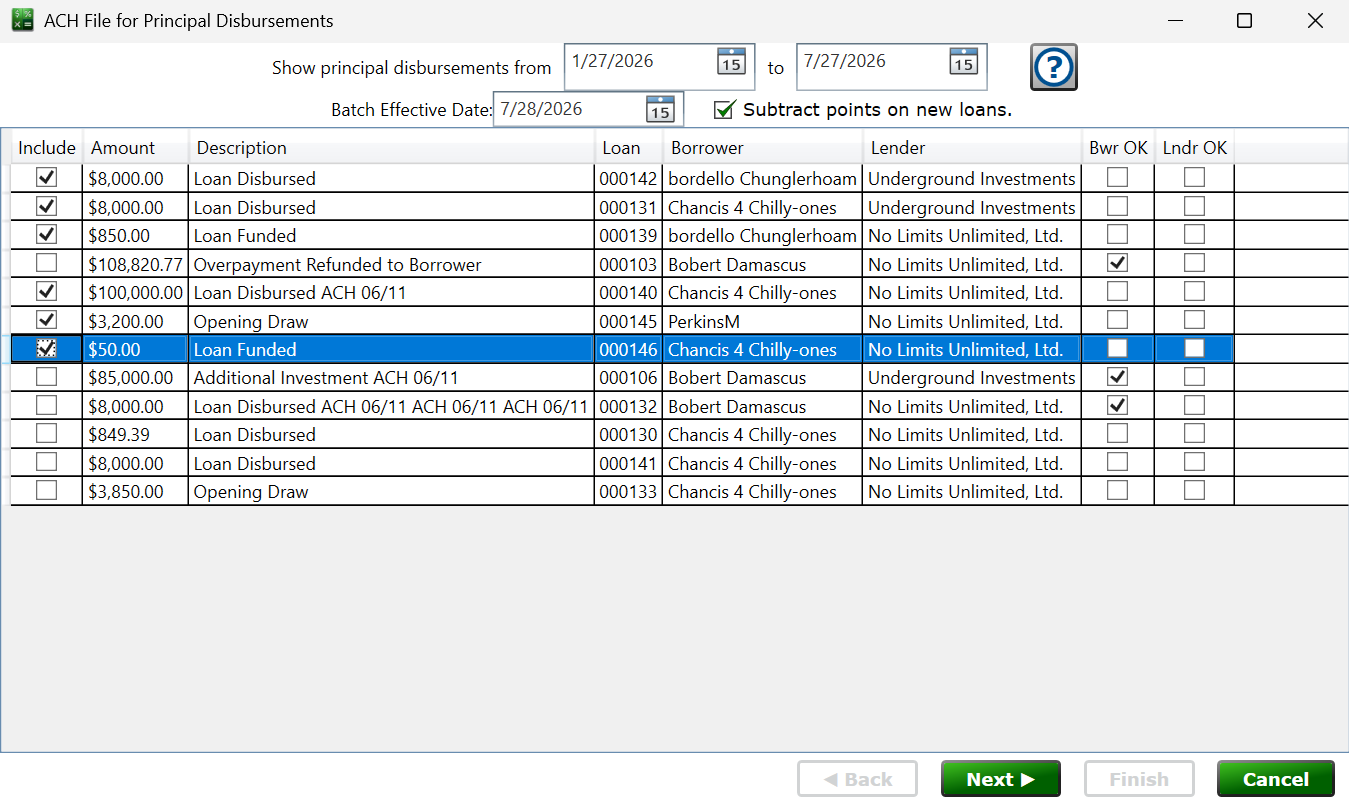
Set the from/to dates and the list fills with the principal disbursements that have not yet been remitted. Check or uncheck the Include box on each row to control what goes in the file. The Bwr OK and Lndr OK columns show whether the borrower's and lender's bank details pass validation—rows that fail are excluded automatically.
Batch Effective Date – the settlement date requested from the bank; it starts out as tomorrow.
Subtract points on new loans. – check the box and the disbursed amount for a new (non-refinance) loan is reduced by the points paid, so the borrower receives the net amount.
Step 2 - ACH File Header Data
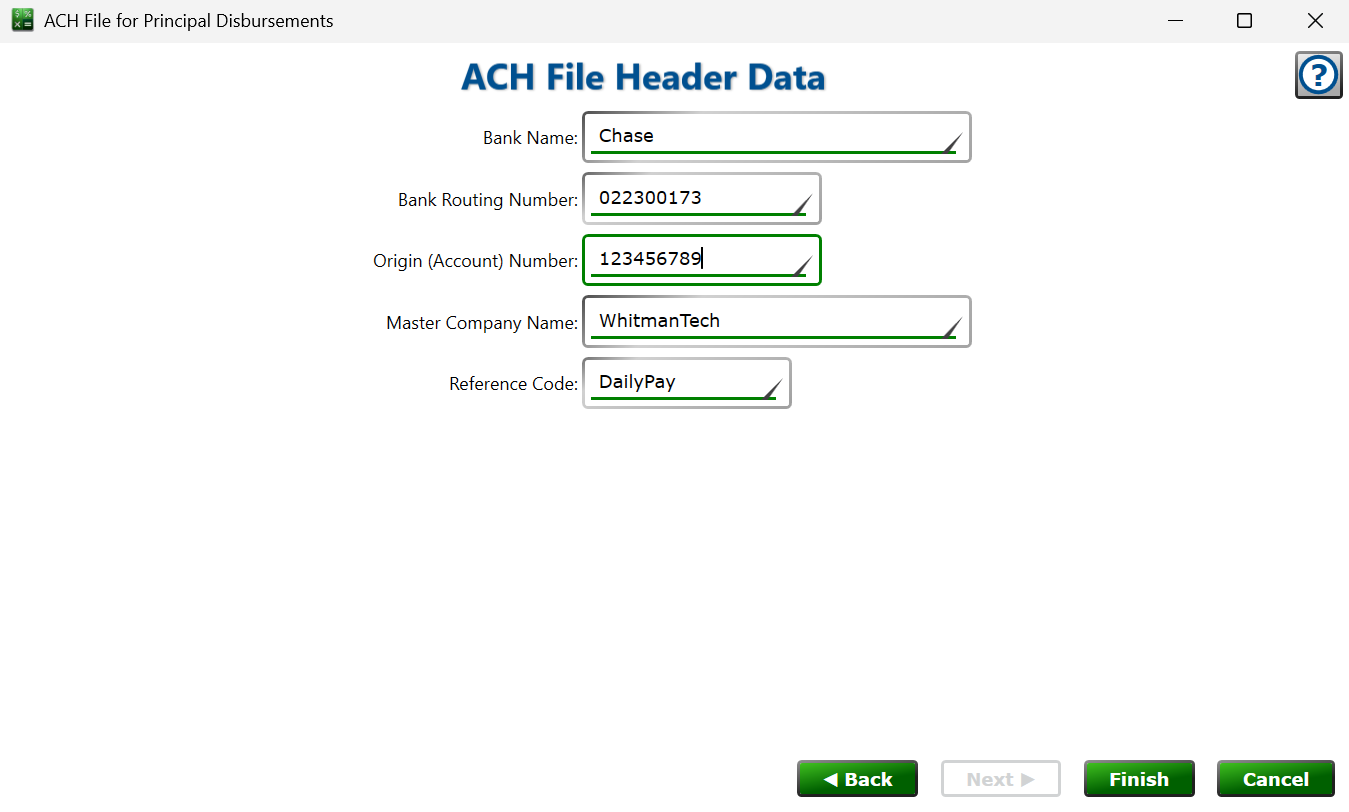
These fields describe your bank (the ODFI) and are saved with the portfolio, shared with the ACH Investor Payment File wizard, so you only enter them once: Bank Name, Bank Routing Number, Origin (Account) Number (the origin number your bank issued for your ACH files), Master Company Name, and an optional Reference Code. Ask your bank for these values when you set up ACH origination.
Finishing
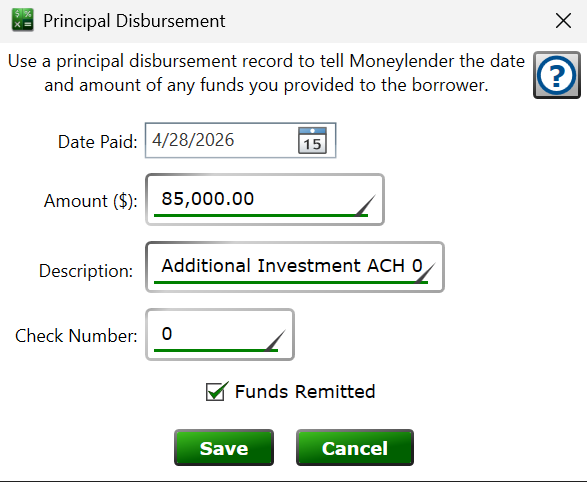
Click Finish to save the ACH file, ready to upload to your bank. Principal disbursements included in the file are marked as remitted and get " ACH" plus the date appended to their description, so they won't be offered again on the next run.
Moneylender Online: the ACH file arrives as a secure browser download.
This ACH file (both desktop and online) is not internally encrypted and contains sensitive information. After submitting to your bank, delete or encrypt the file promptly.
See also: Principal Disbursement, ACH Investor Payment File, Lender Company Info