
ACH Investor Payment File
Find this wizard from the main menu – Regional > United States > ACH Investor Payment File.
This utility takes the payments on the selected loans within an adjustable date window, and generates ACH transactions disbursing funds to the lenders. Use this when you have investors and you want Moneylender to generate a file you can upload to your bank that disburses your money to each of your investors in the amount of the payments recorded on the loan.
To work well, you set up investments from your investors where you are the borrower and they are the investor. Be sure the bank account details are completely filled out in the borrower and lender records so this utility properly debits the borrower and credits the lender. Before running the tool, be sure you have recorded payments on the Payments tab for each loan. Consider using Tools > Auto-Add Payments to Selected Loans to bulk-generate payments for the due date in the amount due on each selected loan.
Before you start
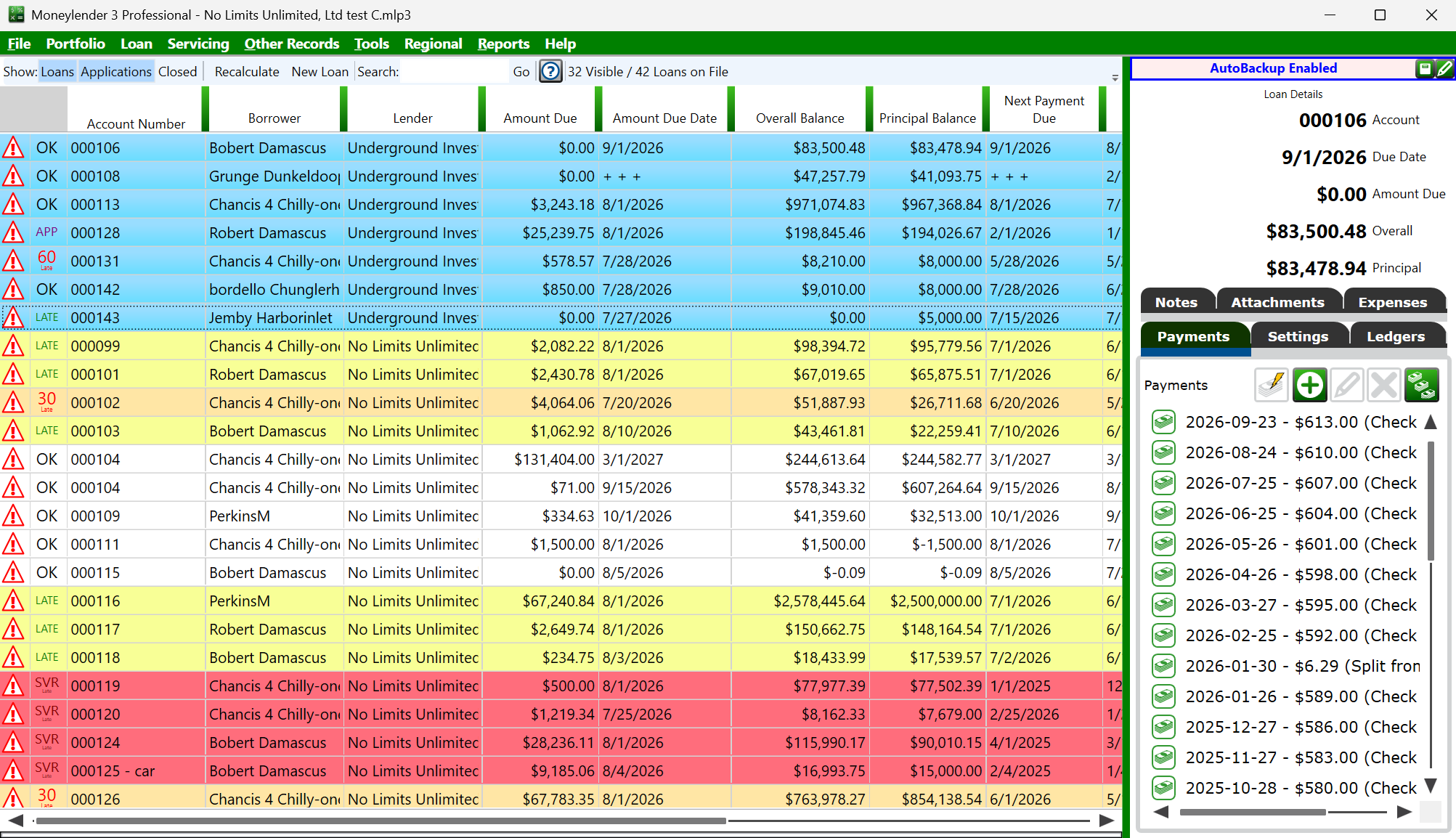
Start by selecting the loans to include in this batch. It can be helpful to sort the main window by borrower or lender and then select the block or blocks of loans where you are borrower and your investors are the lenders.
The bank details must already be on the records involved: each borrower's and lender's routing and account numbers are entered on the Bank Account page of their wizards (see the lender wizard). The lender's Batch Description and Bank-Assigned Company ID from that page are written into the batches for that lender.
Step 1 - Select the payments
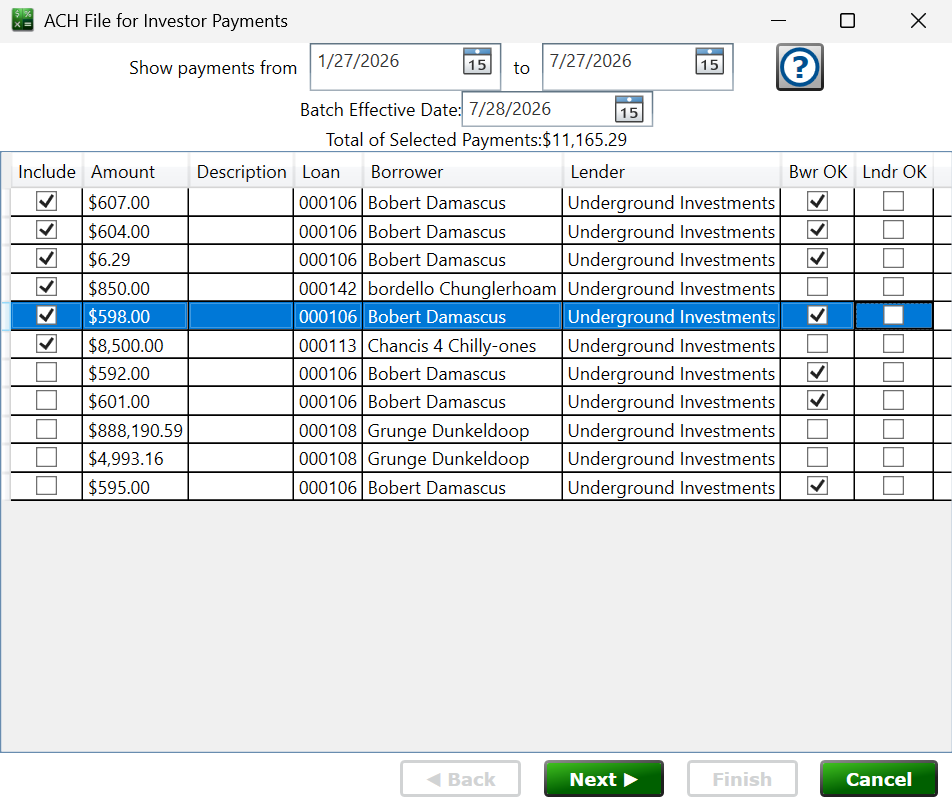
Set the from/to dates and the list fills with the payments recorded on the selected loans. Check or uncheck the Include box on each row to control what goes in the file, and the Total of Selected Payments shows the sum of everything included. The Bwr OK and Lndr OK columns show whether the borrower's and lender's bank details pass validation—rows that fail are excluded automatically. You can technically check the include box for rows that don't have good borrower and lender data, as I've done in the screenshot, but this will result in an invalid/unprocessable file. If a borrower or lender doesn't have the OK checkbox, close this window and edit the appropriate record from Other Records Manage (Borrowers/Lenders). Enter valid banking information in the bank boxes and then return to this utility and the OK boxes should be checked.
Batch Effective Date – the settlement date for the transactions; it should almost always be set as the next business day, and will automatically set to tomorrow's date for you.
Step 2 - ACH File Header Data
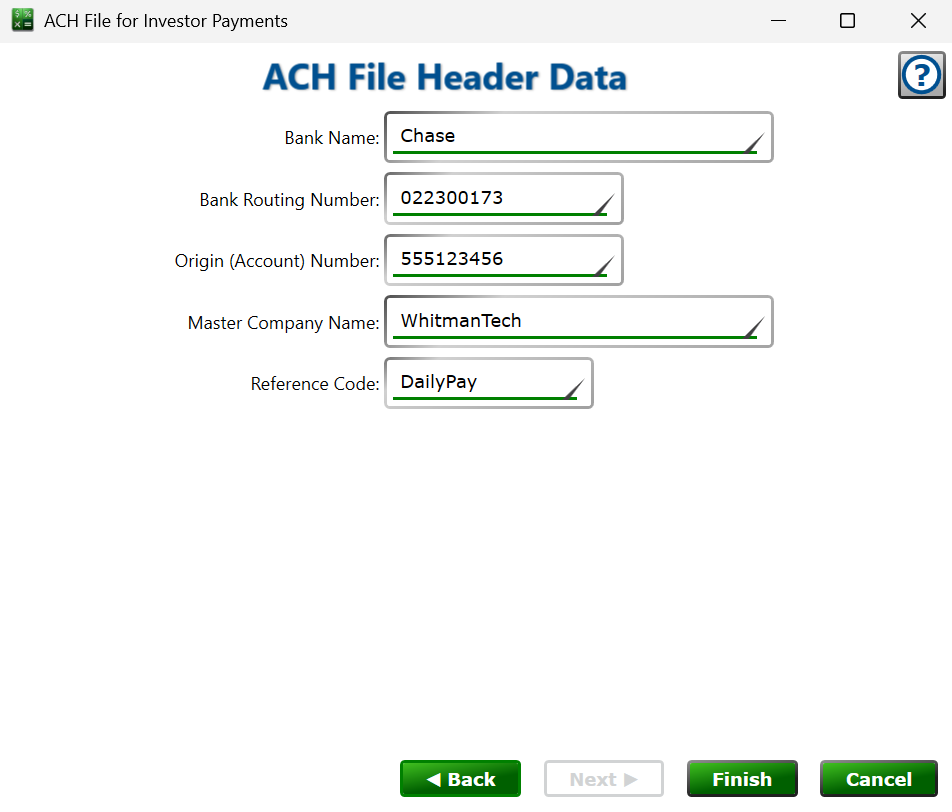
These fields describe your bank (the ODFI) and are saved with the portfolio, shared with the ACH Principal Disbursement File wizard, so you only enter them once: Bank Name, Bank Routing Number, Origin (Account) Number (the origin number your bank issued for your ACH files), Master Company Name (your bank may use a different name for this field - essentially it's how they identify you in their internal records, and they might request you leave it blank), and an optional Reference Code. Ask your bank for these values when you set up ACH origination. The Master Company and/or Reference Code may appear on your investors bank accounts with these deposits, depending on how your bank chooses to ingest your ACH transactions.
Finishing
Click Finish to save the ACH file, ready to upload to your bank. Payments included in the file get " ACH" plus the date appended to their description, so you can tell at a glance which payments have already been forwarded.
Moneylender Online: the ACH file arrives as a secure browser download.
Please note! The ACH format is not encrypted. Never transmit an ACH file over an unencrypted connection, including email. Make sure you always upload through a secure portal on a website or over a secure FTP connection. Fully delete or encrypt any ACH files you generate once you're done submitting them and the transactions have been processed.
See also: ACH Principal Disbursement File, Lender Company Info